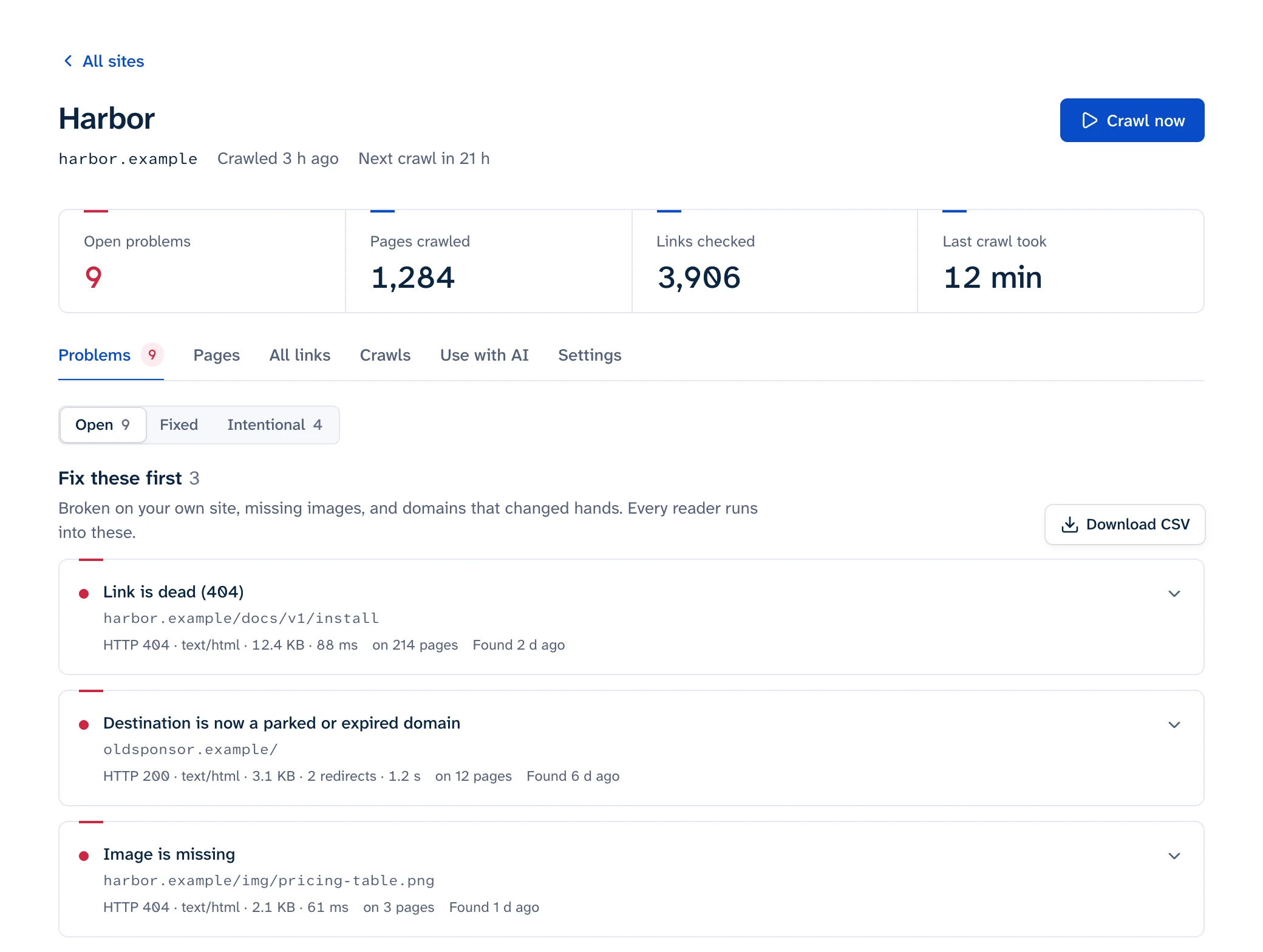
To find broken links on a website, run a crawler that follows every internal link, requests every URL it finds (your pages, other sites, images) and lists each failure with the pages that carry it. For a single page, your browser's DevTools are enough. Google Search Console shows the 404s Googlebot hit on your own URLs, but it never checks the links you point at other sites. Whichever you use, confirm a failure by hand before you delete anything: a 403, 429 or LinkedIn's 999 usually means the checker was blocked while the page works fine in a browser.
| You want | Use |
|---|---|
| One page, right now | Browser DevTools and a short console snippet, or our page link checker |
| URLs on your site that Google couldn't find | Search Console's Page indexing report |
| The whole site once, free | Screaming Frog (up to 500 URLs), Dr. Link Check's free plan (1,500 links) or our free scan (25 pages) |
| The whole site checked every week, with alerts | A crawler that runs on a schedule |
What counts as a broken link
A link is broken when someone who clicks it doesn't get the page it promised. The status code catches most cases, but not all of them: a parked domain and a soft 404 both answer 200 OK, so a checker that only reads status codes reports them as fine.
| What the checker sees | What happened | Read more |
|---|---|---|
404 Not Found or 410 Gone |
Nothing at that address any more | Fixing broken links |
500, 502, 503 |
The server failed. Often temporary; treat it as broken if it fails on several checks in a row | Fixing broken links |
| DNS failure, connection refused, timeout | The host is gone or not answering, often because the domain expired | Expired domains |
| Parked domain | The domain lapsed and now shows ads or a "for sale" page | Expired domains |
| Soft 404 | 200 OK with a "page not found" message |
Soft 404s |
| Redirect to the home page | The page was removed and the site sends every old URL to / |
Soft 404s |
Missing #anchor |
The page loads but the id is gone, so the visitor lands at the top |
Broken anchor links |
| Broken image | An <img> or srcset URL that 404s or returns an HTML page |
Broken images |
| Long redirect chain or loop | Several hops before the page, or a loop that never ends. Google's crawlers follow up to 10 hops (Google) | Redirect chains |
403, 429, 999 |
Usually a bot wall or rate limit. Check by hand before calling it broken | 403 and 429, LinkedIn 999 |
The five ways compared
Limits and prices as of October 2026, from each vendor's own page (linked in the sections below).
| Method | Checks outbound links | Shows the linking page | Runs on a schedule | Limits and cost |
|---|---|---|---|---|
| Browser DevTools | By hand, one page | It's the page you're on | No | Free, one page at a time |
| Google Search Console | No | Sometimes, and not always the direct parent | Google's crawl, on its own timetable | Free; your verified site only; up to 1,000 example URLs per issue |
| Online crawler | Yes | Yes | Yes, on most paid plans | Free tiers are capped by pages or links |
| Desktop crawler | Yes | Yes | Screaming Frog: paid licence, and the computer must be on | Screaming Frog free up to 500 URLs |
| CMS plugin | Yes | Yes, the post or page | Yes | Free plugins exist for WordPress; load depends on where the checks run |
1. Browser DevTools, for one page
The Network panel shows everything the page loads (images, scripts, stylesheets, fonts), so it catches a missing image or script. It doesn't request the pages your links point to, because nothing loads those until someone clicks.
- Open the page in Chrome and press F12 (Cmd+Option+I on a Mac). Pick the Network tab and reload.
- Type
status-code:404in the Filter box, or click Img to see only images (Chrome DevTools). The Console also prints a "Failed to load resource" line for each failed request. - To test the page's links, paste this into the Console. It requests each link on the same site one at a time and prints a table of the ones that fail or redirect:
const pages = [...new Set([...document.links]
  .filter(a => a.origin === location.origin)
  .map(a => a.href.split('#')[0]))];
const results = [];
for (const url of pages) {
  try {
    const res = await fetch(url);
    if (!res.ok || res.redirected) results.push({ status: res.status, url, final: res.url });
  } catch {
    results.push({ status: 'failed', url });
  }
}
console.table(results);
The snippet only asks your own site, because browsers won't let a page read another site's answers. The page link checker checks every link on a page from our servers instead, links to other sites included, and lists bot walls separately from broken links.
Browsers don't let a script read responses from other sites, so this only covers your own links. For outbound ones, checking external links has a one-liner that copies them to the clipboard and a curl loop that checks the list.
2. Google Search Console
Open the Pages report under Indexing and look in the "Why pages aren't indexed" table for Not found (404) and Soft 404. Those rows list URLs on your site that Googlebot requested and couldn't get a page from, wherever it found them, including mistyped links on other sites that a crawl of your own site would never see (Search Console Help).
The report keeps only the past month of 404s and shows up to 1,000 examples per issue. It doesn't reliably name the page that carries the link: URL Inspection's "Referring page" "might be a grandparent or great-grandparent" of it (URL Inspection help). And it never checks links to other sites. Use it to learn which dead URLs still get requested, then crawl to find the links. Step by step: finding broken links in Search Console.
3. An online crawler
An online checker crawls from its own servers, so there's nothing to install or leave running, and most paid plans re-check on a schedule and email you when something new breaks. Most of them read HTML as served, so a link that only appears after client-side JavaScript runs won't be seen.
- Dr. Link Check's free Lite plan covers 2 projects and 1,500 links per site, with one-time checks only. Scheduled checks start on the $13/month plan (monthly or biweekly); weekly checks come with the $49 plan and daily with the $159 plan (Dr. Link Check pricing). We compare the two in Dr. Link Check alternative.
- Ahrefs Webmaster Tools gives sites you verify a free Site Audit with 5,000 crawl credits per project per month (Ahrefs).
- Linkbruno, which publishes this guide, crawls weekly on the free plan and daily on paid plans. The one-off scan checks 25 pages without an account.
4. A desktop crawler
Screaming Frog SEO Spider is the usual desktop choice. It's free up to 500 URLs; a licence costs £199 or $279 per user per year and adds scheduling, JavaScript rendering and crawl configuration (Screaming Frog pricing). Their broken link tutorial boils down to:
- Type the site into "Enter URL to spider" and click Start.
- Open the Response Codes tab and pick the Client Error (4xx) filter. Check Server Error (5xx) and No Response too.
- Click a broken URL, then the Inlinks tab at the bottom, to see every page that links to it and the anchor text.
- For a spreadsheet: Bulk Export > Response Codes > Client Error (4xx) Inlinks.
Because it runs on your machine, scheduled crawls need the paid licence and a computer that's switched on. If broken links are all you open it for, see a Screaming Frog alternative for broken link monitoring.
If you prefer the command line, LinkChecker crawls a site recursively, honors robots.txt, and checks outbound links only when you ask: linkchecker --check-extern https://example.com. lychee is excellent for checking Markdown files and URL lists in CI, but as of June 2026 it still doesn't crawl a site recursively (its maintainer).
5. A CMS plugin
On WordPress, a plugin lists broken links and lets you edit them from the dashboard. Broken Link Checker (500,000+ active installs, 3.8 out of 5 on wordpress.org) scans posts, pages, comments and custom fields, either with a local engine on your own server or a cloud engine that needs a free WPMU DEV Hub account (plugin page). AIOSEO's Broken Link Checker runs in the cloud and its free tier covers 250 internal links a month (plugin page). The local engine makes every check from your own server, on top of serving visitors. More in broken links in WordPress and alternatives to the Broken Link Checker plugin.
Setting up a full crawl
Default settings skip things you care about. Go through these before you crawl. The Screaming Frog paths are from its configuration guide; most need the paid licence.
| Setting | What to choose | In Screaming Frog |
|---|---|---|
| Start URL and sitemap | Start from the home page exactly as visitors reach it (https://, with or without www) and add your XML sitemap so pages nothing links to get checked too |
Configuration > Spider > Crawl > Crawl Linked XML Sitemaps |
| Subdomains | Include blog., shop. or docs. if they're part of the site |
Configuration > Spider > Crawl > Crawl All Subdomains. Other subdomains count as external by default |
| External links | Check their status but don't crawl past them | Configuration > Spider > Crawl > External Links |
| Images | On, including every srcset candidate |
Configuration > Spider > Crawl > Images, and Advanced > Extract Images From IMG SRCSET Attribute |
| #anchors | On, to catch jump links to an id that no longer exists |
Configuration > Spider > Advanced > Crawl Fragment Identifiers (off by default) |
| nofollow, sponsored, ugc | Check them; readers still click those links | Configuration > Spider > Crawl > Follow Internal/External "Nofollow" (off by default) |
| Speed | A few requests a second on your own site, and one at a time per outside host | Configuration > Speed, Max URI/s (default is 5 threads) |
| JavaScript | Only if your links are added client-side | Configuration > Spider > Rendering |
Not sure whether your links come from JavaScript? Open the page source (Ctrl+U, or Cmd+Option+U on a Mac) and search for a link you can see on the page. If it's in the rendered page but not in the source, an HTML-only crawler won't find it.
If your site sits behind a firewall or bot protection, allowlist the crawler's user agent or IP range first, or you'll get a report full of 403s for your own pages.
Reading the report
Group by the broken URL
Most tools list one row per link per page, so one dead link in the footer of a 400-page site shows up as 400 rows. Sort or pivot by the broken URL and count the linking pages. A URL with hundreds of sources is usually a template problem you fix once.
Split internal from external
A broken internal link is your own mistake, you control both ends, and it's quick to fix. A broken external link means another site changed, and the fix is a replacement, an archived copy or removal.
Look at where the link sits
A link in the navigation, header or footer lives in a template or menu; a link in the main text lives in one post. Screaming Frog shows this as the link position in the Inlinks tab. The anchor text and the sentence around the link tell you what it was meant to point at, which you need to pick a replacement.
Watch for redirects in between
In Screaming Frog, the "source" of a 404 can itself be a redirect. Their tutorial suggests Reports > Redirects > All Redirects, filtered to a final status code of 404, to find the page that really carries the link.
Check before you fix
Checkers get blocked, so a link that fails for a crawler running in a datacenter can still work for a person.
| The checker got | What to do |
|---|---|
403, 999 or a timeout |
Open the link in a private browser window. If the page loads, it isn't broken. LinkedIn answers requests it takes for automated traffic with a non-standard 999 (http.dev), and Cloudflare challenge pages come back as 403 with a cf-mitigated: challenge header (Cloudflare) |
429 |
"Too many requests." Slow down and check again later, after the Retry-After time if the server sent one |
500, 502, 503 |
Re-check the next day. If it fails on several checks over a few days, treat it as dead |
200 OK but the report flags it |
Look at the page. A soft 404 or a parked domain only shows when you read it |
You can see what a checker sees with curl:
curl -sI https://www.linkedin.com/company/google/ | head -1
# HTTP/2 999

curl -sI https://some-site.example/page | grep -iE '^(HTTP|server|cf-mitigated|retry-after)'
# HTTP/2 403
# cf-mitigated: challenge
# server: cloudflare
Linkbruno reports bot walls and rate limits as "blocked, couldn't check" instead of broken, and doesn't alert on them. Whatever tool you use, don't remove a link because of a 403 alone. More in why link checkers report 403 and 429.
What to fix first
- Links in the navigation, header and footer. They're on every page, and one edit fixes all of them.
- Broken internal links on pages that get traffic. Sort by visits from your analytics or the Search Console Performance report.
- Links to parked or expired domains, and missing images. In Infoblox's tests, visitors to parked domains were sent to "illegal content, scams, scareware and anti-virus software subscriptions, or malware" over 90% of the time (Krebs on Security, 2025).
- Your own old URLs that other sites still link to. Redirect them to the closest matching page.
- Dead outbound links in your content, busiest pages first.
- Redirect chains and
http://links. They still work, but each hop adds a round trip, and they're easy to tidy once the rest is done.
How to fix each kind (update, redirect, remove, or swap in an archived copy) is in how to fix broken links. Which of them Google cares about, and which it ignores, is in do broken links affect SEO?
How often to check for broken links
Your own links break when you change the site. Outbound links break when you change nothing at all, which is called link rot: Pew Research found that 38% of web pages that existed in 2013 were no longer accessible in 2023 (Pew Research Center, 2024). So the right interval depends on how often you publish and how many outside sites you link to. These are our recommendations:
| Site | Check | Also check right after |
|---|---|---|
| Small business site that rarely changes | Monthly | A redesign, a new domain, a CMS or theme change |
| Blog or content site with many outbound links | Weekly | Bulk edits, category or permalink changes |
| Online store | Weekly, or daily if products come and go daily | Catalogue imports, deleted products, theme updates |
| Docs, news or a site that publishes daily | Daily, plus a check on every deploy | Migrations and URL restructures |
Notes for your platform
Menu paths below are as of October 2026.
WordPress
Links live in posts, menus, widgets, theme templates and custom fields, and a permalink change can break many at once. See broken links in WordPress.
Shopify
Deleted products and changed handles are the usual cause. Redirects live under Content > Menus > View URL Redirects, and Shopify only lets you redirect a URL that currently returns a 404 (Shopify Help). See Shopify broken links.
Squarespace
Find the links with Search Console or a crawler, then edit them and add redirects in the Developer tools panel under URL mappings, one rule per line, like /old-url -> /new-url 301 (Squarespace Help). See Squarespace broken links.
Webflow
Add 301s under Site settings > Publishing > 301 redirects, then publish the site (Webflow Help). A broken link in a shared navbar or footer component is on every page and needs fixing only once. See Webflow broken links.
Wix, Ghost and Hugo
On Wix, redirects are in the dashboard under Marketing & SEO > SEO Tools > URL Redirect Manager, and Wix adds a redirect when you change a page's URL slug unless you untick that option (Wix).
On Ghost, redirects go in a redirects.yaml file that you download and upload again under Settings > Labs (Ghost).
Hugo fails the build when a ref or relref can't find its page (refLinksErrorLevel defaults to ERROR), but plain Markdown links and outbound links aren't checked (Hugo docs). For Hugo or any static, Git-based site, run a link check on each preview deploy: checking broken links in CI.