To check broken links in CI, use two layers. First, turn on the link check your site generator already has, so a missing internal page fails the build. Second, run a link checker over the built HTML or the deployed preview, which catches anchors, redirects and content the generator never sees. Fail the pull request on internal breaks, report external ones without blocking, and keep a scheduled check of production, because outbound links rot without anyone opening a pull request.
What your build already checks
Docusaurus
Docusaurus checks internal links during a production build. As of version 3.10 (Docusaurus config docs):
| Option | Default | What it covers |
|---|---|---|
onBrokenLinks |
throw |
Links to routes that don't exist. Detection is "only available for a production build (docusaurus build)", so npm start won't show them |
onBrokenAnchors |
warn |
Anchors declared with Docusaurus's Heading component |
markdown.hooks.onBrokenMarkdownLinks |
warn |
Markdown links to files that don't exist. Replaces the top-level onBrokenMarkdownLinks, deprecated in 3.9 and due to be removed in v4 |
markdown.hooks.onBrokenMarkdownImages |
throw |
Markdown images that don't exist |
Two of those only warn, and warnings scroll past in CI logs. Make them fail:
// docusaurus.config.js (only the relevant keys)
export default {
  // title, url, baseUrl, presets...
  onBrokenLinks: 'throw',
  onBrokenAnchors: 'throw',
  markdown: {
    hooks: {
      onBrokenMarkdownLinks: 'throw',
    },
  },
};
The check never looks at external URLs. Docusaurus only collects links that its Link component renders as internal routes; anything pointing at another site is rendered as a plain <a> and skipped (Link.tsx source).
Hugo
Hugo checks links written with the ref and relref shortcodes, such as [Install]({{% ref "/docs/install" %}}). When it can't resolve the page, it logs an error and the build fails, because refLinksErrorLevel defaults to ERROR. You can lower it to WARNING and set refLinksNotFoundURL as a stand-in address (Hugo configuration).
Plain Markdown links like [Install](/docs/install/) aren't checked. Hugo's docs now call the ref shortcode obsolete for Markdown and recommend the embedded link render hook, which "will not throw an error or warning if unable to resolve a destination" (Hugo ref docs, link render hooks). If you follow that advice, you lose the build-time check, so the next layer matters more.
What build checks miss
- External links, every one of them.
- Content the generator never sees: anything fetched at runtime from a headless CMS or API, embeds, and links added by client-side JavaScript.
- Your server's behavior: redirect rules in
vercel.jsonor_redirects, trailing-slash handling, rewrites. A link to/old-pagethat only works through a redirect looks broken to the build, and a redirect that points at a deleted page looks fine.
Check the built HTML with lychee
lychee reads the HTML your build produced and checks every link in it, including #anchors on your own pages. The workflow below runs on every pull request and once a week. It builds a Docusaurus site into build/; for Hugo, swap in your Hugo build steps and use public instead.
# .github/workflows/links.yml
name: Links

on:
  pull_request:
  schedule:
    - cron: "0 6 * * 1"
  workflow_dispatch:

jobs:
  links:
    runs-on: ubuntu-latest
    permissions:
      contents: read
      issues: write
    steps:
      - uses: actions/checkout@v7
      - uses: actions/setup-node@v7
        with:
          node-version: 24
          cache: npm
      - run: npm ci
      - run: npm run build

      - name: Restore lychee cache
        id: restore-cache
        uses: actions/cache/restore@v6
        with:
          path: .lycheecache
          key: lychee-${{ github.run_id }}
          restore-keys: lychee-

      - name: All links, report only
        id: all-links
        uses: lycheeverse/lychee-action@v2.9.0
        with:
          args: >-
            --no-progress
            --cache
            --max-cache-age 1d
            --root-dir ${{ github.workspace }}/build
            --index-files index.html
            --fallback-extensions html
            'build/**/*.html'
          fail: false

      - name: Save lychee cache
        if: always()
        uses: actions/cache/save@v6
        with:
          path: .lycheecache
          key: ${{ steps.restore-cache.outputs.cache-primary-key }}

      - name: Open an issue on scheduled runs
        if: github.event_name == 'schedule' && steps.all-links.outputs.exit_code != 0
        uses: peter-evans/create-issue-from-file@v6
        with:
          title: Link Checker Report
          content-filepath: ./lychee/out.md
          labels: report, automated issue

      - name: Internal links and anchors, fails the job
        uses: lycheeverse/lychee-action@v2.9.0
        with:
          args: >-
            --no-progress
            --offline
            --include-fragments=anchor-only
            --root-dir ${{ github.workspace }}/build
            --index-files index.html
            --fallback-extensions html
            'build/**/*.html'
          output: lychee/internal.md
What each part does:
- The first lychee step checks everything, external links included, with
fail: false, so problems land in the job summary without blocking the merge. The action writes a job summary by default (action.yml). - The last step uses
--offline, which limits lychee to local files, and--include-fragments=anchor-only, which checks#sectionlinks against theids in your pages. The action'sfailinput defaults totrue, so a missing page or anchor fails the job. --root-dirmaps absolute links like/docs/introonto the build folder (it must be an absolute path).--index-files index.htmlresolves/docs/introtodocs/intro/index.html, and--fallback-extensions htmlcovers sites that writeintro.htmlinstead (lychee options). If your site is served from a subpath, absolute links won't line up with the folder and you'll need lychee'sremapoption.- The cache is split into restore and save steps so it's saved even when the job fails, the approach the lychee-action README suggests. Keying on
run_idstores a fresh cache every run, andrestore-keysloads the most recent one. With--max-cache-age 1d, a link checked in the last day isn't requested again, which keeps repeated pushes to a pull request from hitting the same external sites every few minutes. - On the weekly run, failures open a "Link Checker Report" issue.
create-issue-from-fileopens a new issue each time; pass itsissue-numberinput to update one issue instead.
Before you rely on it, break a link on purpose in a test branch and watch the job fail.
Settings for external sites
Put shared settings in lychee.toml at the repository root. lychee reads that file from its working directory by default:
# lychee.toml
max_retries = 3
retry_wait_time = 5
timeout = 20
host_concurrency = 2
cache_exclude_status = "429, 500.."
exclude = [
  '^https?://([a-z]+\.)?linkedin\.com/',
]
host_concurrency = 2 keeps lychee to two requests at a time per host, down from a default of 10. cache_exclude_status stops rate-limit and server errors from being cached, so they're retried on the next run instead of being reported again from the cache. The exclude line is for LinkedIn, which answers automated requests with a non-standard 999 status. Without it, every report fills with lines like [999] <https://www.linkedin.com/in/...> | Rejected status code: 999 Unknown status code, repeated once for every page that carries the link. The LinkedIn 999 guide explains why, and why link checkers report 403 and 429 covers the other hosts that block checkers.
Use exclude for hosts that always block you and accept for status codes you've decided are fine. If you set accept, include the normal range, because it replaces lychee's default of 100..=103,200..=299.
What should fail the pull request
| What broke | On a pull request | On the weekly run |
|---|---|---|
| Link to a page that isn't in the build | Fail | Fail |
Link to a missing #anchor on your site |
Fail | Fail |
| External 404, 410 or DNS failure | Report, don't block | Open an issue |
| External 403, 429, 999 or timeout | Report, don't block | Check by hand |
Internal links are the author's responsibility, they're cheap to fix in the same pull request, and the result doesn't depend on anyone else's server. External links break on someone else's schedule. If a pull request that fixes a typo fails because a site you cited in 2019 went down, people learn to re-run the job until it passes, and the gate stops meaning anything.
Check the deployed preview
The build output isn't quite the site your readers get. A preview deploy has your real redirects, rewrites, trailing-slash rules and headers. Checking it catches redirect rules that point at nothing, and it passes links that work only through a redirect, which a build check reports as broken. To test a few redirects by hand, paste the old URLs into the redirect checker.
Get the preview URL
- Vercel: by default it reports deployments to GitHub as
deployment_statusevents (Vercel for GitHub). Run on that event, keep onlygithub.event.deployment_status.state == 'success', and read the URL fromgithub.event.deployment_status.environment_url. Vercel also sendsrepository_dispatchevents such asvercel.deployment.success, with the URL ingithub.event.client_payload.url, but those only trigger workflows that exist on the default branch. - Netlify: the preview for pull request 42 lives at
https://deploy-preview-42--<site-name>.netlify.app, and it returns "Not Found" until the first deploy finishes (Netlify docs). You can poll it until it answers 200. On later pushes the same URL keeps serving the previous deploy until the new one is ready, so a simple poll can check stale content.
Get past deployment protection
If Vercel Deployment Protection covers your previews, a checker gets a login page instead of your site. Create a Protection Bypass for Automation secret in the project settings and send it in the x-vercel-protection-bypass header (Vercel docs).
Be careful where that header goes. lychee's docs say custom headers set with --header "are used for ALL requests", so a crawl that also checks external links would send your bypass secret to every site you link to. Limit the preview crawl to the preview's own host.
Crawl it
lychee checks the links on the pages you give it but doesn't follow them to discover more pages; its own feature table lists recursion as unsupported (lychee README). For a deployed preview you need a crawler. linkinator can do it with --recurse:
# .github/workflows/preview-links.yml
name: Preview links

on: deployment_status

jobs:
  preview-links:
    if: github.event.deployment_status.state == 'success'
    runs-on: ubuntu-latest
    steps:
      - uses: actions/setup-node@v7
        with:
          node-version: 24
      - name: Crawl the preview
        env:
          PREVIEW_URL: ${{ github.event.deployment_status.environment_url }}
          BYPASS: ${{ secrets.VERCEL_AUTOMATION_BYPASS_SECRET }}
        run: |
          npx --yes linkinator@8 "$PREVIEW_URL" \
            --recurse \
            --skip "^(?!${PREVIEW_URL})" \
            --header "x-vercel-protection-bypass:${BYPASS}"
The --skip pattern skips every URL that doesn't start with the preview address, so the crawl stays on your preview and the bypass header never leaves it. External links are left to the scheduled lychee run. linkinator exits with an error when it finds broken links, which fails the job, and --redirects warn makes it list links that go through a redirect so you can point them at the final URL (linkinator README). Save the secret in GitHub as VERCEL_AUTOMATION_BYPASS_SECRET, or drop the --header line if your previews are public. The event also fires for production deploys, which just means production gets checked too.
If you make this job a required check, test what happens when a pull request doesn't deploy. Vercel users report that when a build is skipped by the Ignored Build Step, the workflow never runs and the required check waits indefinitely (Vercel Community).
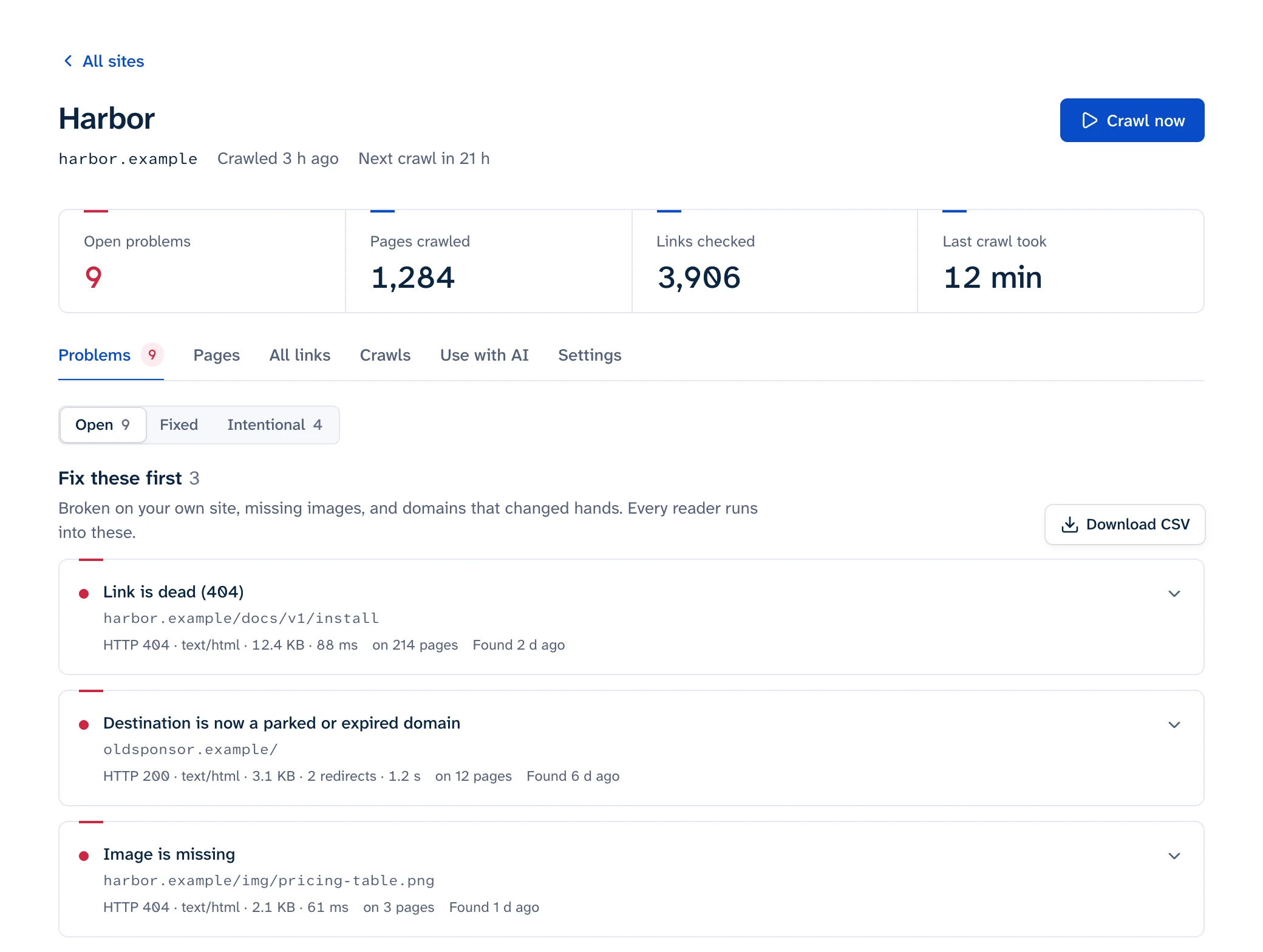
Linkbruno's CI check takes the hosted route: an API token and a shell script that checks the preview URL, up to 2,000 pages, and fails the job when the preview has broken links, apart from any you've marked as intentional. Links on the preview to your live site by full address are checked on the preview, which lychee needs --remap for, so a page added in the same pull request doesn't fail before it's live. On GitHub Actions the script also annotates the run and writes the results to its job summary. Like lychee and linkinator, it reads the HTML as served and doesn't run JavaScript.
After the merge
CI only sees links when someone changes the site. Outbound links break on their own: Pew found that 38% of pages that existed in 2013 were gone a decade later (Pew Research, 2024). Keep a scheduled check of production running alongside the pull request gate, either the weekly job above or a monitoring service that crawls the live site and alerts when something changes. If an AI coding agent works in the repository, the MCP server hands it that list so it can fix the links and check them again. The external links guide covers what to do with each dead outbound link, and link rot covers a monthly routine. For the full range of ways to find broken links, including one-off checks, see how to find broken links on a website.