The right Broken Link Checker plugin alternative depends on why you're leaving. If the plugin loads your server, AIOSEO's Broken Link Checker keeps everything in wp-admin but runs the checks on its own servers. If you'd rather not run a plugin at all, use an outside crawler (Screaming Frog for a one-off audit, a hosted monitor for scheduled checks) next to Google Search Console, which is free and already lists your 404s. What every outside tool gives up is the plugin's best feature: fixing a link without leaving the WordPress dashboard.
Prices, limits and ratings on this page are as of October 2026, taken from each vendor's own pages.
Which one to pick
- You want to fix links without leaving wp-admin: keep Broken Link Checker. If its checks load your server, try AIOSEO's Broken Link Checker, which also works inside wp-admin but runs the checks on its own servers.
- You want one thorough audit, say before a redesign: Screaming Frog, free up to 500 URLs.
- You want to hear when a link breaks without logging in to look: a hosted checker that crawls on a schedule, such as Dr. Link Check or Linkbruno.
- You don't want to install or pay for anything: Google Search Console for the 404s on your own pages. It doesn't check links to other sites, so add a one-off free scan for those.
Whichever you pick, open a few of the links it reports before you change anything. The most common complaint about every checker on this page is working links reported as broken.
What the plugin does well
Broken Link Checker is made by WPMU DEV, costs nothing, and has 500,000+ active installations and a 3.8 out of 5 rating from about 600 reviews on its wordpress.org page. Before replacing it, be clear about what you'd lose:
- It works inside wp-admin. You can edit, unlink or ignore a broken link from its list, and unlink in bulk, without opening each post.
- It reads places an outside crawler can't easily reach, such as comments, custom fields and every post type.
- It has two engines. The local engine "runs directly on your server, no external connection needed". The cloud engine crawls your public pages from WPMU DEV's servers on a daily, weekly or monthly schedule and emails the report to the people you pick (WPMU DEV docs).
If its reports match what you see when you click the links yourself, there's no strong reason to move.
Why people switch
Since version 2.0 the plugin has shipped as two products in one: the original local engine and a cloud engine tied to a WPMU DEV account. Most complaints map to one of them.
Load on your own server
The local engine does its checking from your web server, either hourly in the background or continuously while the dashboard is open (both are options in its settings). On small hosting plans that shows up as load. Older 1-star reviews put it bluntly: "Will make your blog and server unresponsive" (April 2020) and "Resource waster" (November 2012). Those are years old, so measure it on your own host. Lowering the local settings "Server load limit" and "Max. execution time" is worth trying first.
You may have read that WP Engine bans the plugin. Its disallowed plugins page (updated July 28, 2025) doesn't list it, though it still recommends checking for broken links with tools that aren't plugins, since "these will not have a negative effect on your site's performance".
The cloud engine needs a WPMU DEV account
The plugin's FAQ says "The cloud version requires a connection to WPMU DEV to access its API." A free Hub account works, "with some restrictions"; the one WPMU DEV documents is a 15-minute wait between manual scans. The full report lives in the Hub, with a summary in wp-admin. When 2.0 introduced this in 2023, reviews such as "Forced to register, changed plugin" (March 2023) followed. The local engine is still there, and it's the default on sites that aren't connected to the Hub.
A few cloud-engine rules from the WPMU DEV docs change what you see in the report:
- It skips links to sites that block bots, including linkedin.com, facebook.com, instagram.com, x.com, youtu.be and play.google.com. Those links aren't checked at all.
- It follows at most 3 redirects. A link with a longer redirect chain is reported as an error.
- A scan stops after 3 hours, which matters on very large sites.
- It only sees public pages, so content behind a maintenance or membership plugin gives different results from the local engine.
Working links reported as broken
The complaint that keeps coming back is false alarms: "False Positives for Broken Links EVERY TIME" (March 2026), "Overstates the problem" (January 2024), "90% false positives" (October 2021). Any checker runs into this when sites answer bots with 403, 429 or LinkedIn's 999, so switching tools only helps if the new one reports those as "couldn't check" instead of "broken". Before you decide, open a handful of the flagged links in a private window. If they load, read why checkers get 403 and 429 on working links.
The alternatives side by side
| Tool | Where it runs | What it checks | Scheduled checks | Free tier |
|---|---|---|---|---|
| Broken Link Checker (the plugin itself, for comparison) | Plugin in wp-admin; the local engine checks from your server, the cloud engine from WPMU DEV's | Local: links in posts, comments and custom fields. Cloud: your public pages | Local: hourly or while the dashboard is open. Cloud: daily, weekly or monthly | Free; the cloud engine needs a free WPMU DEV account |
| AIOSEO Broken Link Checker | Plugin in wp-admin; checks run on AIOSEO's servers | Internal and external links, images, video links | Yes, you set the recheck frequency | 250 internal links a month |
| Screaming Frog SEO Spider | Desktop app on your computer | Pages, images, CSS, JavaScript files, external links | Paid licence only, on your own machine | 500 URLs per crawl |
| Google Search Console | URLs on your own site that gave Googlebot a 404 or soft 404 | Updates as Google recrawls | Free, your own site only | |
| Dr. Link Check | Hosted crawler | Pages, images, scripts, stylesheets, outbound links | Monthly or biweekly from $13/month; daily on the Premium plan | 2 sites, 1,500 links each, one-time checks |
| Linkbruno | Hosted crawler | Internal and outbound links, images, canonical and feed links, #anchors | Weekly on the free plan, daily on paid plans | Weekly checks; a 25-page one-off scan with no signup |
AIOSEO Broken Link Checker
This is the closest swap. It stays in wp-admin and lets you "edit, unlink, or remove a broken link directly from the Broken Link Checker dashboard", but the scanning happens on AIOSEO's servers, so your host does no crawling. It can include drafts and pending posts, and it checks whether a linked or embedded YouTube or Vimeo video still exists, which a status-code check misses. It has 300,000+ installations and a 3.8 rating from 87 reviews.
The trade is the account. The free plan covers 250 internal links a month, and paid plans are listed from $4.99 a month for 1,000 links on one site (pricing). Several 1-star reviews from 2026, such as "Not used CC required" (September 2026), say the free signup asked for a credit card; the plugin page only says an account is required. Links inside page builder layouts still have to be edited in the builder.
Screaming Frog SEO Spider
A desktop crawler built for full SEO audits. It's free up to 500 URLs per crawl; a licence is £199, $279 or €245 per user per year. Without a licence the configuration is locked and crawls can't be saved, and scheduling is licence-only and runs on your own computer. It suits a deep one-off clean-up or an audit before a redesign, but it won't tell you when something breaks next month unless a licensed copy is scheduled on a machine that stays on.
To use it as a broken link checker, crawl your site, open the Response Codes tab and pick the "Client Error (4xx)" filter, then click a URL and read the Inlinks tab at the bottom for the pages that link to it. Bulk Export > Response Codes > Client Error (4xx) Inlinks puts every broken link and its source page in one spreadsheet. That filter also holds 403s and 429s from sites that block crawlers, so open those in a browser first. Our Screaming Frog page has the full steps, including redirects and #anchor links.
Google Search Console
Free, and probably already set up. The Page indexing report lists URLs on your own site that returned "Not found (404)" or "Soft 404" to Googlebot, but it "shows only URLs that have shown 404 errors in the past month" and never checks links to other sites. URL Inspection shows a "Referring page" for a URL, though Google notes it can be a grandparent of the page that actually holds the link. Use it next to whichever tool you pick; the Search Console guide covers the details.
Dr. Link Check
A hosted checker that's been running since at least 2012 (the Wayback Machine has its home page from January 2012). The free Lite plan checks 2 sites up to 1,500 links each, one time only. Scheduled checks start on the $13 Standard plan (monthly or biweekly), and weekly and daily checks need the higher plans. Every unique URL counts as a link, including images, stylesheets and scripts; its own example puts a 200-page law firm site at about 1,000 links. Paid plans also check outbound links against phishing and malware blacklists. See the Dr. Link Check comparison.
Linkbruno
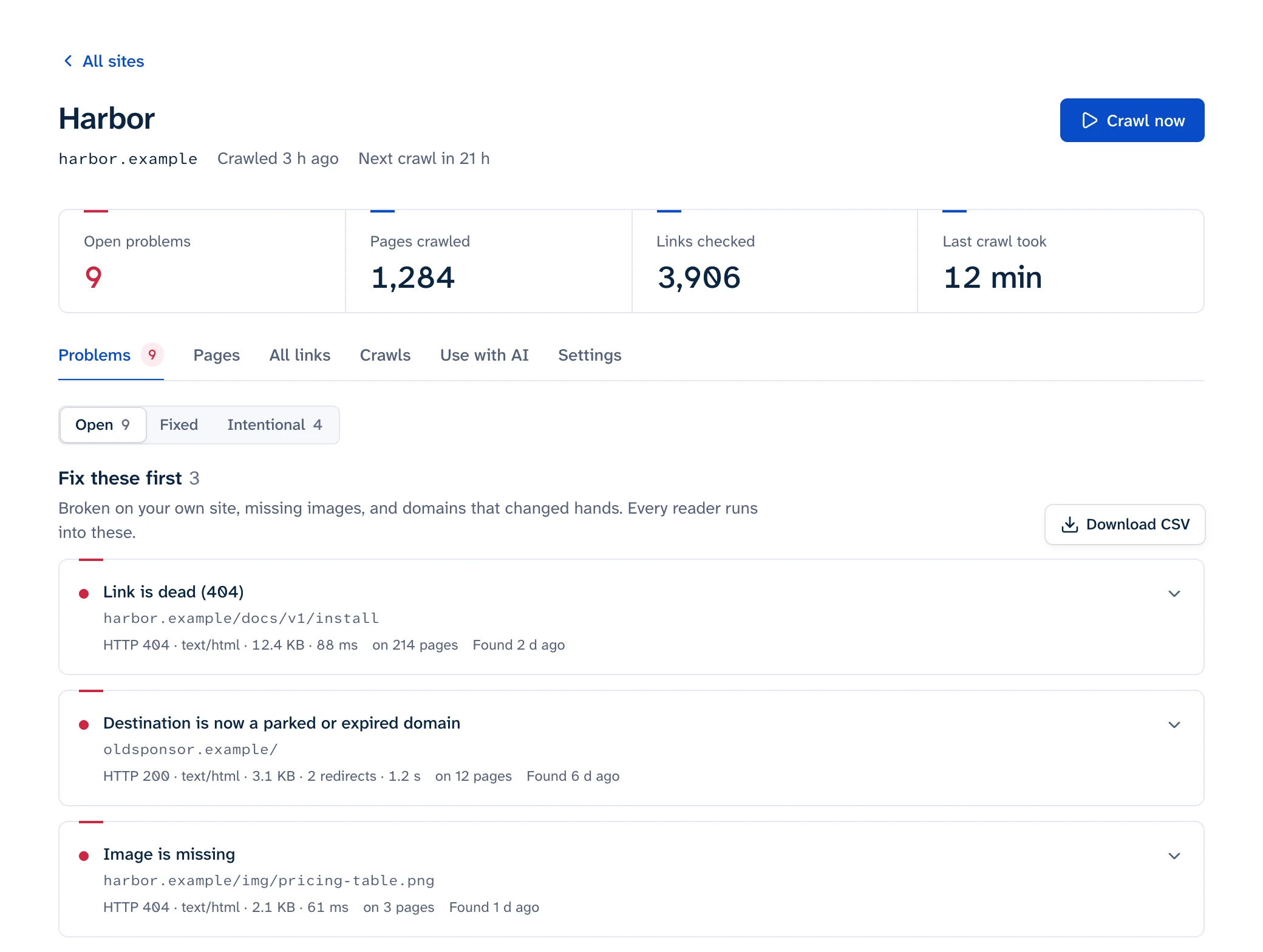
This is our tool. It crawls your site from outside, weekly on the free plan and daily on paid plans, reading HTML as served (it doesn't run JavaScript). Each problem lists every page that carries the link, where on the page it sits (navigation, footer, main text) and the href exactly as written. Bot walls are shown as "blocked, couldn't check" and never trigger an alert, and alerts go out by email or Slack only when something changes. There's no WordPress plugin, so you fix each link in the editor yourself. The free scan reads 25 pages without signing up.
What you lose when you leave the dashboard
In-place editing is the big one. An outside report tells you the page and the exact href; you open that post in the block editor and change it. For a URL that appears in dozens of posts, WP-CLI does the replacement in one pass (search-replace docs). Take a backup first and always look at the dry run:
wp db export before-link-fix.sql
wp search-replace 'https://old.example.com/guide' 'https://new.example.com/guide' --skip-columns=guid --dry-run
The search is a plain substring match, so /guide also matches /guide-2. Read the dry-run report, then run it again without --dry-run.
You also need somewhere to fix links that aren't in post content. An outside crawler reads the finished page, so it reports links in menus, widgets and theme templates that a content scan may never see (the plugin page lists menus for the cloud engine, not the local one). Menu links live under Appearance > Menus on a classic theme, or under Appearance > Editor > Navigation on a block theme (WordPress docs). Links hard-coded in a theme file need a theme edit. The WordPress guide lists where each kind of link lives.
The reverse gap: outside crawlers only see published, public pages. If you need drafts checked before they go live, the AIOSEO plugin can include draft and pending posts. For links to pages you've deleted, the fix guide covers when to redirect and when to update the link.
Switching without losing your history
- Write down what you've told the plugin to ignore. In the cloud engine that's the Ignore URL Rules list (up to 500 rules). You'll want the same exclusions in the new tool.
- Export the current list. The cloud report has an "Export as CSV" button.
- Run the new tool once while the plugin is still active and compare. Expect more findings from menus, footers and templates, and none from drafts.
- If you use a security plugin, Cloudflare or a host firewall, allow the new crawler before its first run, or the report will be full of 403s. Our crawler's user agent and allowlisting steps are on the bot page.
- Deactivate Broken Link Checker once the new report covers what the old one did, and delete it if you won't go back.
- Turn on alerts in the new tool so a fresh break reaches you without anyone logging in.
For the other ways to check a site, including DevTools for a single page, see how to find broken links on a website.