Broken links affect SEO much less than a long list of 404 errors in an audit report suggests. Google says 404 errors "won't impact your site's search performance" and that "404s don't harm your site's indexing or ranking" (Search Console Help). A URL that returns 404 simply drops out of the index. Broken links do cost you in a few specific places: internal links that point at a dead URL instead of the live page, other sites' links to pages you deleted without a redirect, soft 404s, and long redirect chains. And for readers, every broken link is a dead end whatever it does to rankings.
What Google says about 404s
Google has been consistent about this for over a decade. From a 2011 Search Central post that's still online:
The fact that some URLs on your site no longer exist or return 404 errors does not affect how your site's other URLs (the ones that return 200 (Success) status codes) perform in our search results.
The crawler documentation explains what happens to the dead URL itself. Google doesn't index URLs that return a 4xx code, removes ones that were indexed, and treats "all 4xx errors, except 429" the same. Those codes "have no effect on crawl rate" (Google). On 404 versus 410, Search Console's help says "Currently Google treats 410s (Gone) the same as 404s (Not found)".
So a 404 on a page you deleted is the correct response, and it doesn't count against the rest of the site. Google's own advice is to fix "only 404 errors that you link to yourself or list in a sitemap" (Search Console Help). The cost of a broken link comes from what it does to the pages around it.
Where broken links cost you
Internal links to dead URLs
Google's link guidelines say "Google uses links as a signal when determining the relevancy of pages and to find new pages to crawl", and "every page you care about should have a link from at least one other page on your site" (Google).
When you move a page and your menu or older posts still link to the old URL, those links lead to a 404 (or at best through a redirect) instead of to the page you want found. If they were the only links to it, Google has a harder time finding the new page at all. This is the broken-link problem worth fixing first, and it's entirely in your control: update the links to the live URL instead of relying on redirects. After a domain or platform move, this is most of the work in checking redirects after a migration.
Googlebot also keeps requesting URLs it knows about after they start returning 404, less and less often. For most sites that doesn't matter. Google's crawl budget guide says that if your pages don't change rapidly in large numbers, you don't need it, and that it's written for sites with over a million pages, or over 10,000 pages that change daily (Google). If you run one of those, its advice applies: return 404 or 410 for removed pages, get rid of soft 404s, and avoid long redirect chains.
Other sites linking to pages you deleted
When another site links to a URL of yours that now returns 404, that link sends visitors to an error page. Redirect the URL with a 301 to the page that best matches what the link was about. Google treats a 301 as "a strong signal that the redirect target should be processed" (Google). Its 2011 post makes the same point about mistyped inbound links: a 301 to the right URL lets you "capture the intended traffic from that link."
To find these, compare Search Console's 404 list with Links > External links > Top linked pages, which shows your most-linked pages (Links report help). Backlink tools go further: Ahrefs' Site Explorer, for example, has a Broken backlinks report listing pages that link to your 404s (Ahrefs).
Soft 404s and redirects to the home page
Redirecting every dead URL to the home page looks tidy, but Google's site move guide says many old URLs redirected to "one irrelevant single URL destination, such as the home page" might be "treated as a soft 404 error" (Google). A not-found page that answers 200 OK is a soft 404 too. Both keep getting crawled: the crawl budget guide says "soft 404 pages will continue to be crawled, and waste your budget." Send a 404 or 410 when there's no real replacement. See soft 404s.
Redirect chains
Each time you move a page, the old redirect can end up pointing at another redirect. Google's crawlers follow up to 10 hops. Google's advice is to redirect "to the final destination directly" or, failing that, keep chains to "ideally no more than 3 and fewer than 5", and the crawl budget guide says long chains "have a negative effect on crawling." Update links to the final URL and rewrite old rules to skip the middle hops. See redirect chains.
Outbound links
None of the Google documentation cited here says dead outbound links lower your rankings. Google's SEO starter guide treats outbound links as context for readers: they "can provide more context on a topic, both for users and search engines", and when you link to sites you don't control, you should "make sure you trust the resource you're linking to" (Google). A link that now lands on a 404, or on a parked domain full of ads, no longer does either job. Checking external links covers how to find them without false alarms.
The reader's side
A broken link in your navigation hides a whole section of the site. A dead source link means the reader can't check your claim. A link to an expired domain can be worse than an error page: in Infoblox's tests, visitors to parked domains were sent to scams, scareware or malware more than 90% of the time (Krebs on Security, 2025). And broken links are common: in its study of link rot, Pew Research found at least one on 23% of news pages and 21% of government pages it sampled (Pew Research Center, 2024).
What to fix first
| Problem | Why it matters | Fix | When |
|---|---|---|---|
| Internal links to a moved or deleted page, especially in menus | The live page loses those links, and visitors hit an error | Update the links; 301 the old URL if it moved | First |
| Your deleted URLs that other sites link to | Their visitors land on a 404 | 301 to the closest matching page | First |
| URLs in your sitemap that return 404 | You're asking Google to crawl pages that don't exist | Fix the page or remove it from the sitemap | First |
| Links to parked or expired domains | Can send readers to scams | Remove or replace now | First |
| Soft 404s and catch-all redirects to the home page | May be treated as soft 404s and keep being crawled | Return 404 or 410, or redirect to a real match | Next |
| Redirect chains of three or more hops | Slower for visitors; Google advises fewer than 5 | Link to the final URL; flatten the rules | Next |
| Dead outbound links in content | No documented ranking effect, but readers hit an error | Replace, link an archived copy, or remove | Next, busiest pages first |
| 404s for URLs that never existed | None. Google says you can ignore them | Nothing | Never |
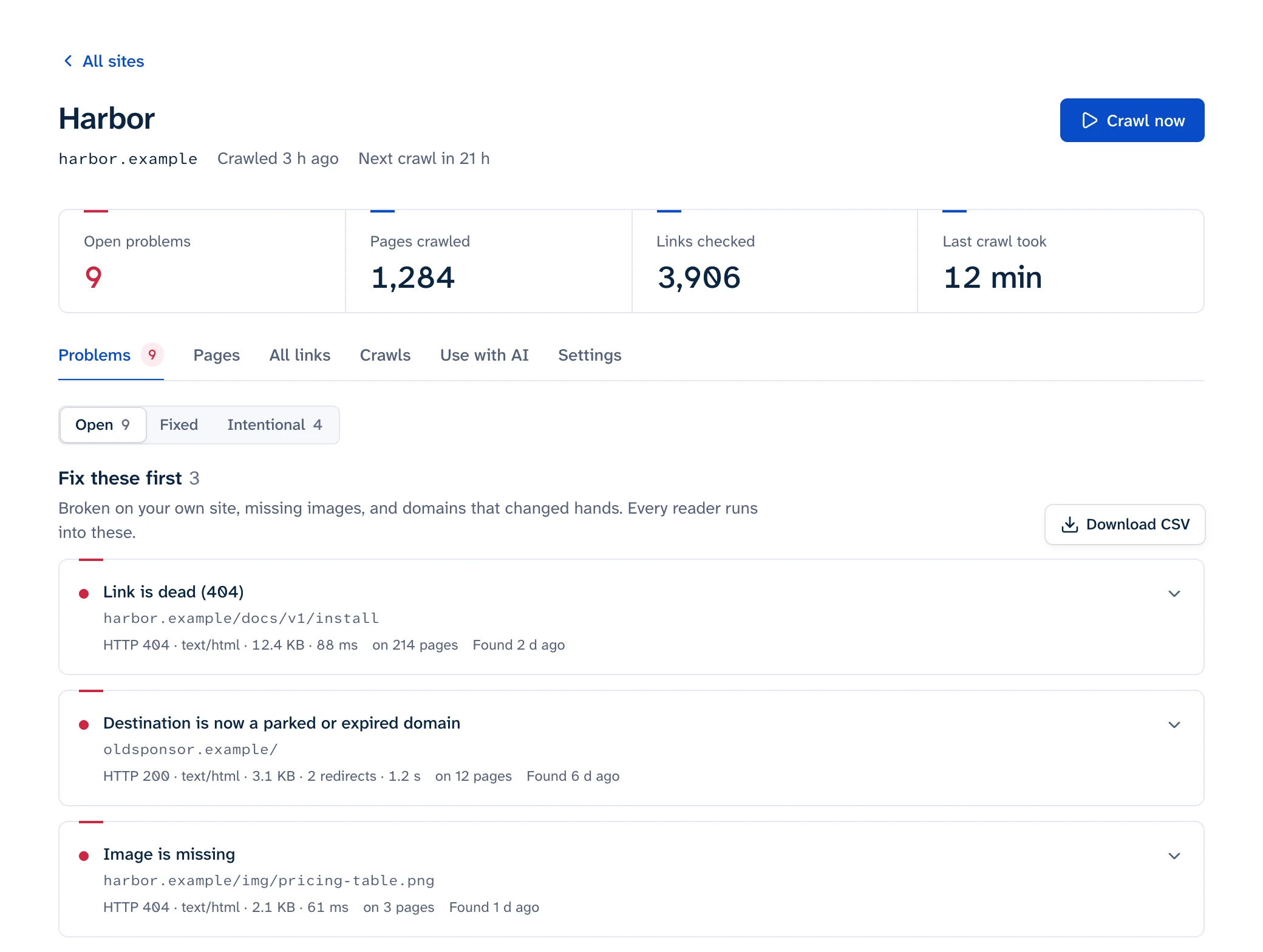
To get the list in the first place, see how to find broken links. Linkbruno sorts its fix list the same way: broken links on your own site, missing images and parked domains go under "Fix these first".
What not to do
Each of these makes a report look cleaner without fixing anything:
- Redirecting every 404 to the home page. Plugins such as All 404 Redirect to Homepage offer it as a one-click fix (the WordPress guide has what to use instead), but Google's help says: "Don't create fake content, redirect to your homepage, or use robots.txt to block 404s."
- Blocking dead URLs in robots.txt. Google can't see the 404 if it can't crawl the URL, and blocked URLs "will stay part of your crawl queue much longer", per the crawl budget guide.
- Adding
noindexto pages you meant to remove. Google "will still request, but then drop the page when it sees a noindex meta tag", per the same guide. For a page that's gone, return 404 or 410. - Using the Removals tool to clean up Search Console. A removal request "will not remove the error from this report." Deleted pages drop out of the 404 list on their own after about a month.
- Serving your error page with
200 OK. "You can return a 404 response code while serving whatever content you want", so keep the helpful page and send the right status (Google Search Central Blog).
To fix what you find, see how to fix broken links. To see which of your URLs Google already knows are dead, see finding broken links in Search Console.