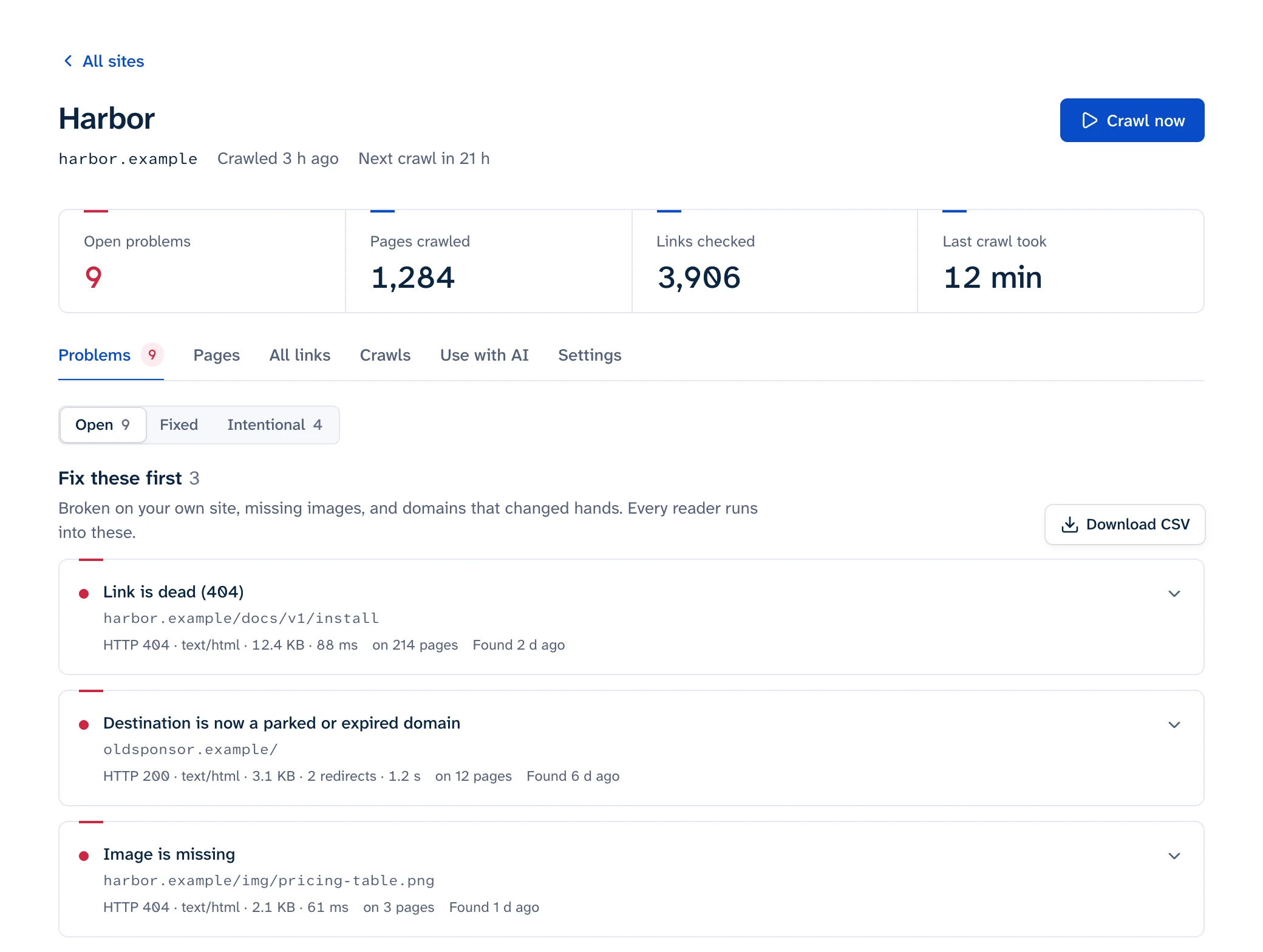
To check external links on your site, crawl your own pages, request every outbound URL once, and read more than the status code. A dead outbound link can be a 404, but it can also be a domain that no longer resolves, a parked page that answers 200 OK, a certificate error, or a redirect to the other site's home page. Before you remove anything that came back 403, 429 or 999, open it in a browser: those codes usually mean the checker was blocked while the page works for people.
To check them now without setting anything up, use one of the free tools. The page link checker checks every link on one page, outbound ones included, and the free scan does the same across 25 pages of a site. If you already have a list of outbound URLs, paste up to 100 into the bulk URL checker. The rest of this guide covers what the results mean and what to do with each dead link.
Outbound links break while you're not looking
Your internal links break when you change your site. Outbound links break when someone else changes theirs, so they rot even on a site nobody has touched in years. In its study of link rot, Pew Research found that:
- 38% of web pages that existed in 2013 were no longer accessible in 2023.
- 23% of news pages and 21% of government pages contained at least one broken link.
- 54% of Wikipedia pages had at least one link in their References section pointing to a page that no longer exists.
Those are conservative numbers. Pew only counted a page as gone if it returned one of nine error codes, so parked domains, soft 404s and pages whose content changed aren't in them. Even links people chose to share rot: when we checked 11,000 links from popular Hacker News stories, 19% of those posted in 2015 were dead, and 16% of all of them didn't let a link checker in at all. That's why a one-off check isn't enough for outbound links: they need checking on a schedule. How often depends on the site; the main guide has a table.
What can go wrong with an outbound link
| Failure | What a checker sees | How to confirm it |
|---|---|---|
| Page deleted | 404 or 410 |
Open it. Then look for the page's new address on the same site |
| Domain gone | DNS failure. curl prints Could not resolve host |
dig +short example.com returns nothing |
| Server down | Connection refused, timeout, or 5xx |
Check again over a few days before calling it dead |
| Parked or expired domain | Usually 200 OK, sometimes a redirect to an ad landing page |
Look at the page: ads, a "this domain is for sale" banner, or a registrar's holding page |
| Certificate error | TLS failure. curl prints SSL certificate problem |
Open it in a browser. Visitors get a full-page warning before the site loads |
| Soft 404 | 200 OK with a "not found" message |
Read the page. A missing GitHub wiki page, for example, answers 200 with a "Create new page" screen when you're logged out |
| Redirect to the home page | 301 or 302 ending at the other site's / |
The final URL is the home page, which almost never answers the original link |
http:// only |
Works, over plain HTTP | Try the https:// version and update the link if it loads |
| Content changed | 200 OK, different page |
Only a person can tell. Compare with an archived copy |
You can reproduce the first few with curl. badssl.com keeps test hosts with broken certificates:
curl -sS -o /dev/null https://expired.badssl.com/
# curl: (60) SSL certificate problem: certificate has expired

curl -sS -o /dev/null https://no-such-host-zz9.com/
# curl: (6) Could not resolve host: no-such-host-zz9.com
Parked domains deserve more attention than their 200 OK suggests. Infoblox found that visitors to parked domains were sent to "illegal content, scams, scareware and anti-virus software subscriptions, or malware" over 90% of the time, and that parked pages looked harmless to visitors on a VPN or a non-residential IP address (Krebs on Security, 2025). A checker running in a datacenter can see a clean parking page while your readers at home get the scam. More in links to expired domains.
Plain http:// links are getting more visible too. Google said Chrome 154, due in October 2026, would turn on "Always Use Secure Connections" by default, so "Chrome will ask for the user's permission before the first access to any public site without HTTPS" (Google Security Blog). An old http:// link can put a warning in front of your reader even when the page exists.
Bot walls and rate limits
Many sites block automated requests. Pew ran into it too, noting that "many sites actively try to prevent the sort of automated data collection that we used to test our full list of links." For a link checker that shows up as:
999from LinkedIn, a non-standard code it sends to traffic it thinks is automated (http.dev).403with a challenge page from Cloudflare. Cloudflare marks these responses with acf-mitigated: challengeheader (Cloudflare docs). Other bot protection services send 403s or challenge pages of their own.429 Too Many Requests, which means slow down. It may come with aRetry-Afterheader saying how long to wait (MDN).
To check one, open it in a private window. If the page loads, keep the link. You can also look at the headers your checker got:
curl -sI https://some-site.example/page | grep -iE '^(HTTP|server|cf-mitigated|retry-after)'
# HTTP/2 403
# cf-mitigated: challenge
# server: cloudflare
Then exclude the URL or host in your checker so it stops reporting it. Linkbruno puts these in their own "blocked, couldn't check" state and never alerts on them, because a 403 from a bot wall says nothing about whether the page exists. If a whole platform's links keep failing, read why link checkers report 403 and 429 and the LinkedIn 999 status code.
Checking outbound links without getting blocked
How you check affects what you get back. A checker that fires hundreds of requests at one host collects 429s and 403s that look like broken links.
- Request each unique URL once, however many of your pages link to it. A share button in your footer shouldn't mean 400 requests to the same URL.
- Pace requests per host: one at a time to each outside host, with a pause between them. Plenty of your links will point at the same few sites.
- Wait for
Retry-Afterwhen you get a 429. - If a
HEADrequest fails, tryGETbefore you report it. Some servers don't answerHEADthe way they answerGET. - Send a user agent that says what you are and links to a page about it.
- Re-check failures on another day before you report them.
In common tools: Screaming Frog checks outbound links when Configuration > Spider > Crawl > External Links is ticked, and Configuration > Speed caps requests per second (configuration guide). LinkChecker only checks outbound links with --check-extern (manual). muffet allows up to 512 connections per host by default, so set --max-connections-per-host and --rate-limit lower (muffet usage).
Checking a list of links yourself
For one page, copy its outbound links in the browser console:
copy([...new Set([...document.links]
  .filter(a => a.origin !== location.origin && a.protocol.startsWith('http'))
  .map(a => a.href))].join('\n'))
Paste the list into links.txt (or export the outbound URLs from your crawler) and run:
while read -r url; do
  printf '%s %s\n' "$(curl -s -o /dev/null -L --max-time 20 -w '%{http_code} %{url_effective}' "$url")" "$url"
  sleep 1
done < links.txt
Each line shows the final status code, where redirects ended, and the URL you linked. If you'd rather not run a script, paste up to 100 of them into the bulk URL checker, which also tells a bot wall apart from a dead page. The script's output looks like this:
200 https://example.com/ https://example.com/
404 https://example.com/old-report https://example.com/old-report
000 https://expired.badssl.com/ https://expired.badssl.com/
999 https://www.linkedin.com/company/google/ https://www.linkedin.com/company/google/
000 means no HTTP response at all: a DNS failure, a certificate error, a refused connection or a timeout. A final URL that's the other site's home page is a redirect worth a look. The one-second pause keeps you polite, and it's fine for a few hundred links. For thousands, use a crawler that paces per host.
What to do with each dead outbound link
- Find the page's new address. Search the other site, or search the web for the page title in quotes. If it moved, update your link.
- If you cited it as a source, link an archived copy and say so in the text. The Wayback Machine lookup is in how to fix broken links. Linkbruno suggests the last Wayback copy from before the link died.
- If it was background reading, remove the link and keep the sentence if it still works without it.
- If the domain is parked or expired, remove the link now, and check whether any script, stylesheet or image on your site still loads from that domain. Whoever registers it next controls what those requests get.
Adding rel="nofollow", rel="sponsored" or rel="ugc" doesn't fix a dead link. Google describes them as a way to "tell Google your relationship with the linked page" (Google); the reader who clicks still lands on the error. Google doesn't document any ranking penalty for dead outbound links (do broken links affect SEO?), so that reader is the reason to fix them.
Archive what you cite when you publish
A copy you make when you publish is the easiest fix for a link that dies later. The Internet Archive's Save Page Now takes a URL at web.archive.org/save and gives you "a permanent URL for your page" (Internet Archive help). It saves the page with its images and CSS, but not the pages it links to, and some sites block it. Their browser extension does the same from the toolbar.
Make it part of publishing: when an article cites a statistic, a quote or a document, save the source the same day. If the link dies later, you can swap in a copy taken when you read it, instead of one taken after the page changed.